Hi! I’m SimonSenior Product Designer

Room Layout Templates · 3 min read

Adding market leading customisation and retain AUD $1m in annual revenue

Bigtincan’s Content Hub is a CMS that ensures sales people have the right content at the right moment.

RoleLead Designer in cross-functional team
TimelineMVP delivered in 6 Weeks
ProductContent Hub
CompanyBigtincan

Before & After

Problem

  • Sellers want to customise Sales Room for each sale.
  • A competitor’s solution created bottlenecks because Photoshop and InDesign were required for common graphic design techniques
  • Waiting on a graphic designer frequently added days to the creation of a new Sales Room

The Redesign

Solution

I delivered a template builder that allowed sales people to customise a new Sales Room in minutes, while marketing retained control over branding, layout, and visual design.

Before

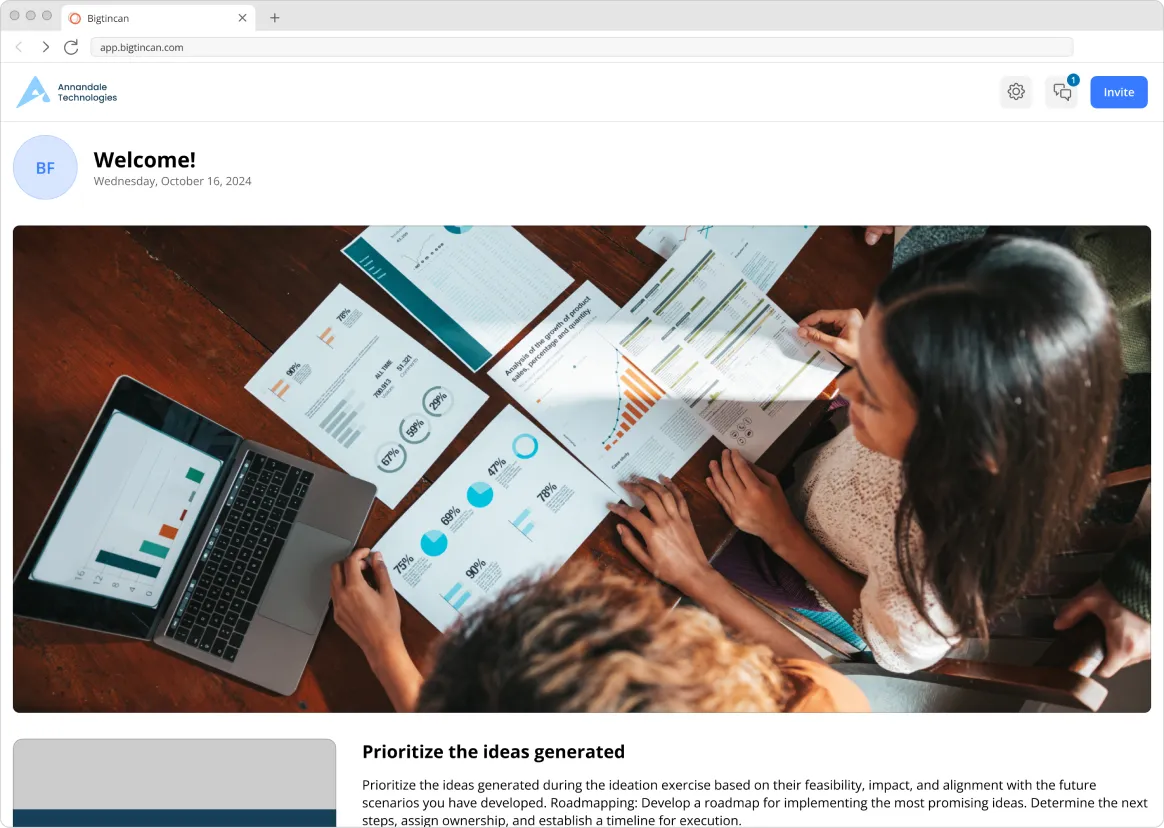
The same stale landing page for every sale

Uploading a logo is the only customisation option available to Sellers.

A sample sales room before the template builder, with no customisation beyond a logo

After

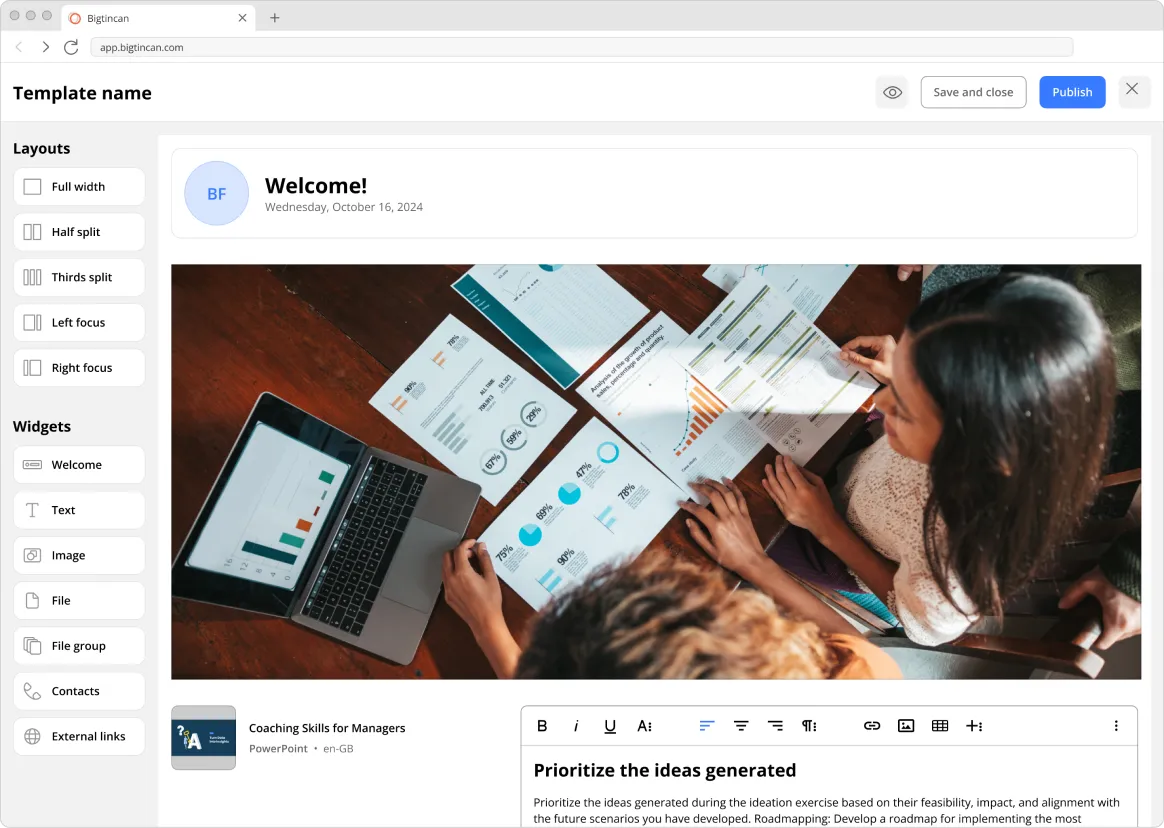
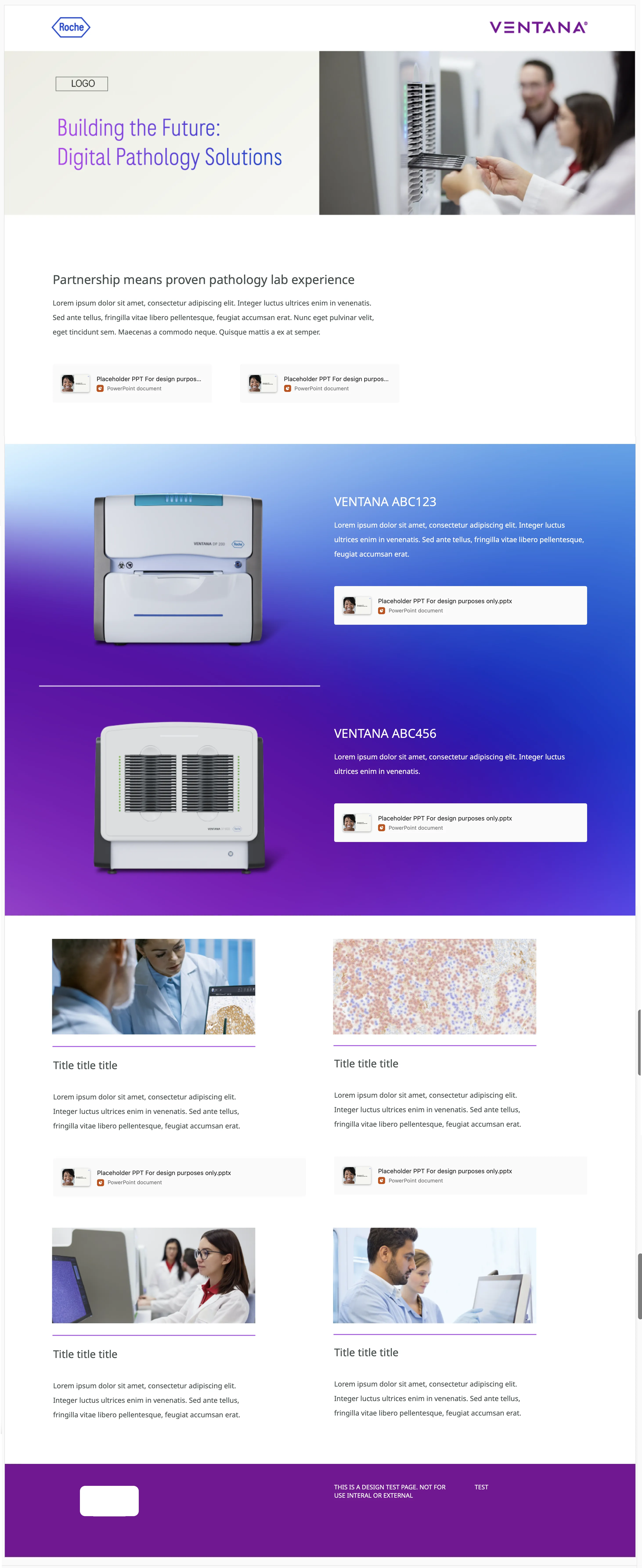
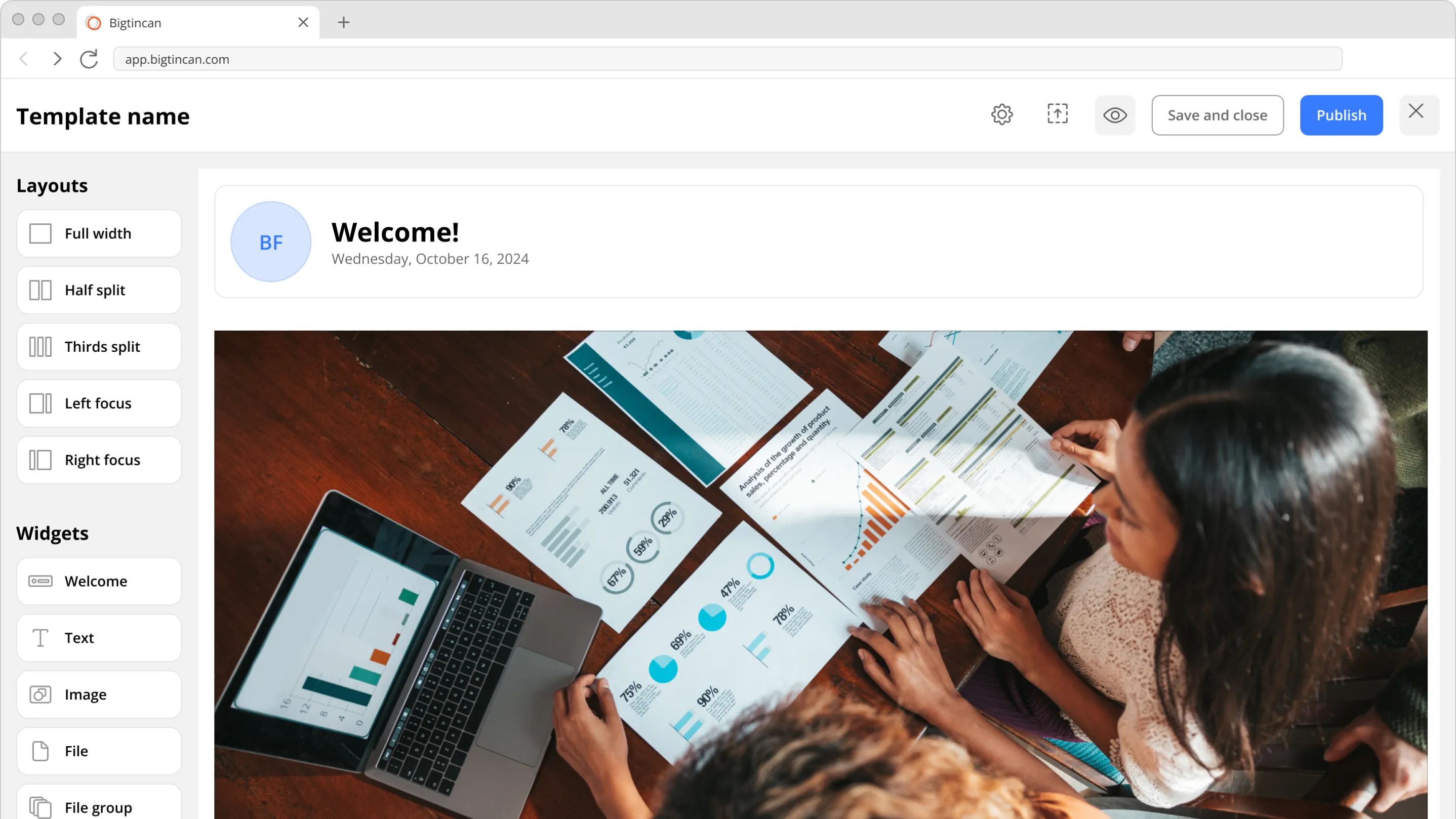
Customisable templates for every sales room

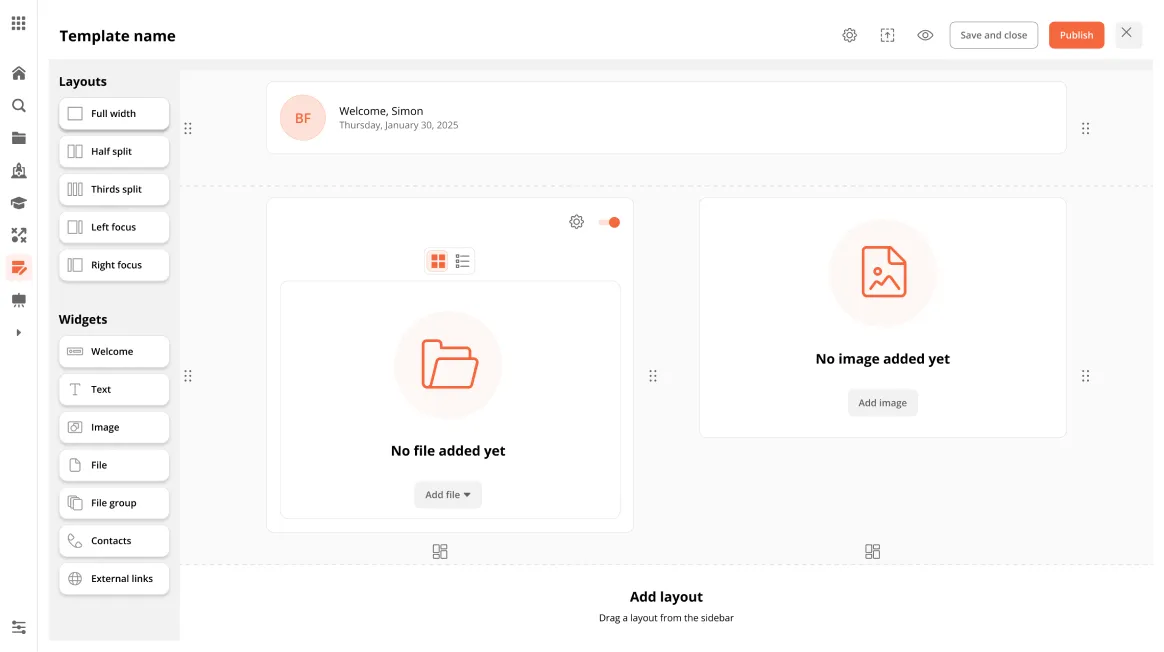
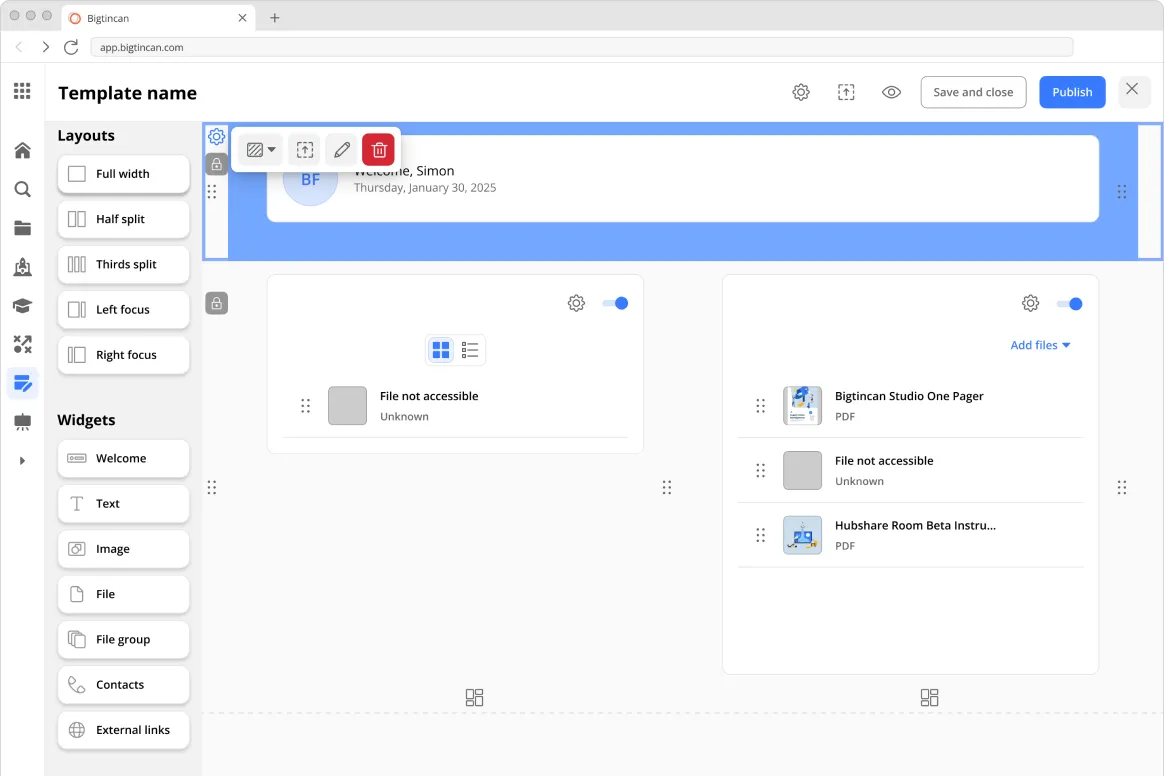
Three new widgets added to the existing template builder and full customisation of layout, fonts, and colours.

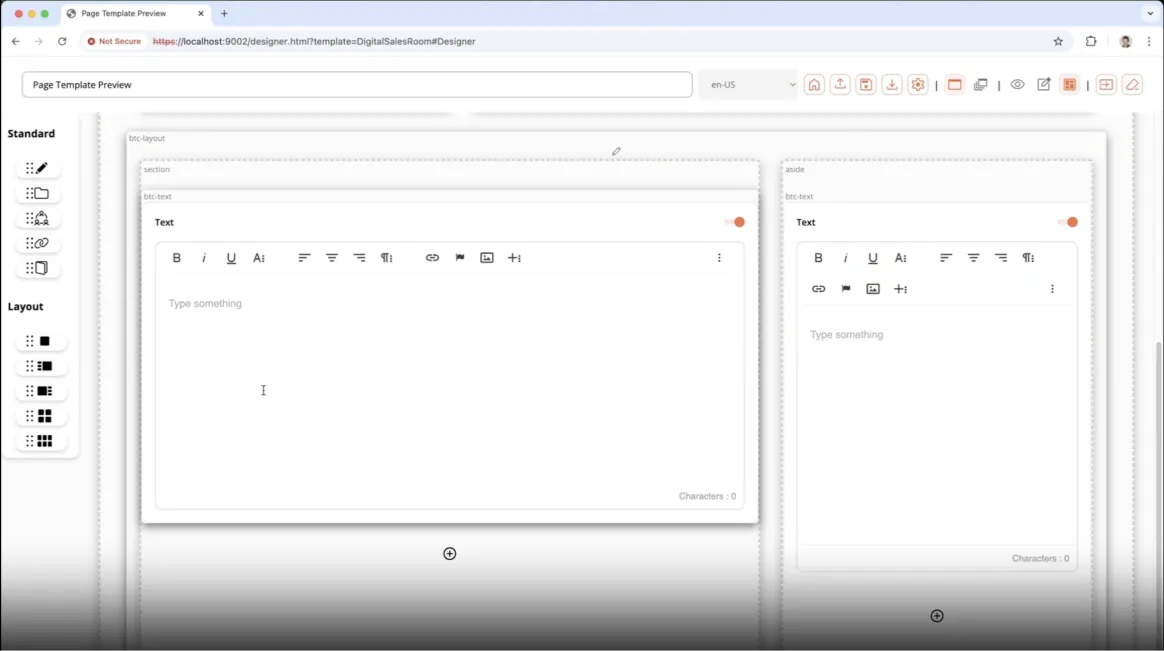
The layout template builder, showing sections that can be customised

Phase 1

New Widgets

Three new widgets added to the existing template builder and full customisation of layout, fonts, and colours.

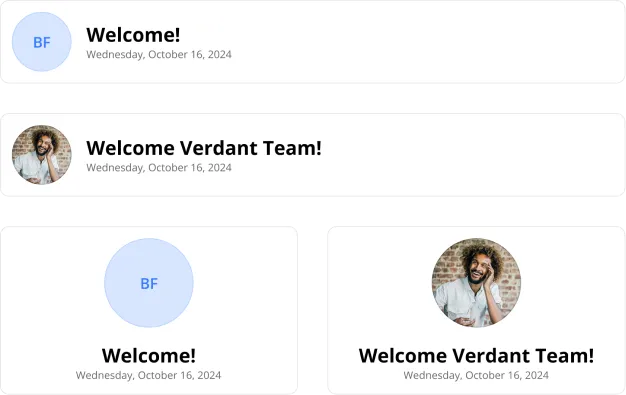
The Welcome widget, showing a Seller portrait and welcome text
Welcome: Quickly add Seller portrait and welcome text.
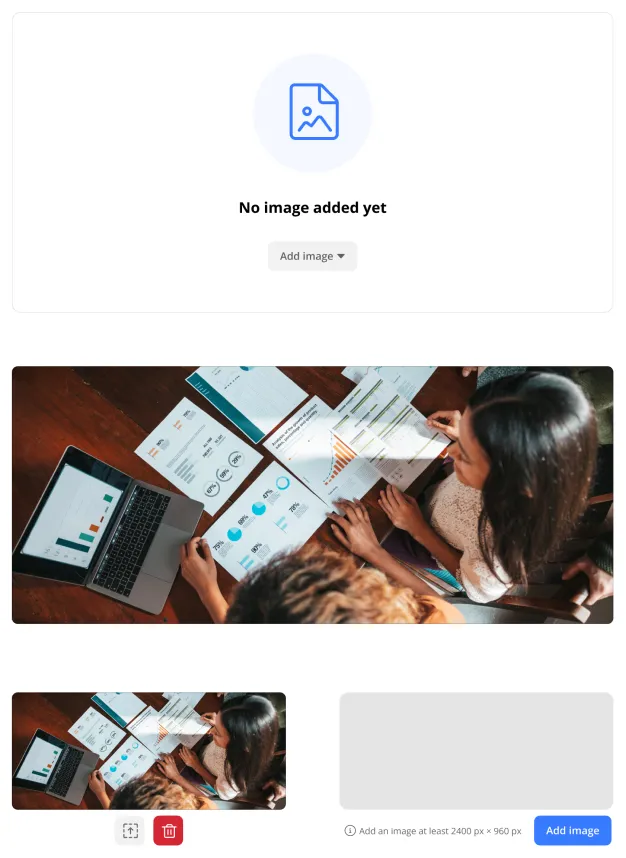
The Image widget
Image: Add images to a layout.
The File widget
File: Add files in the relevant context.

Phase 2

Layout builder polish

Pre-existing designs were used to improve the builder, but more polish was needed.

Drop shadows removed to reduce visual noise

Phase 3

Locked sections and widgets

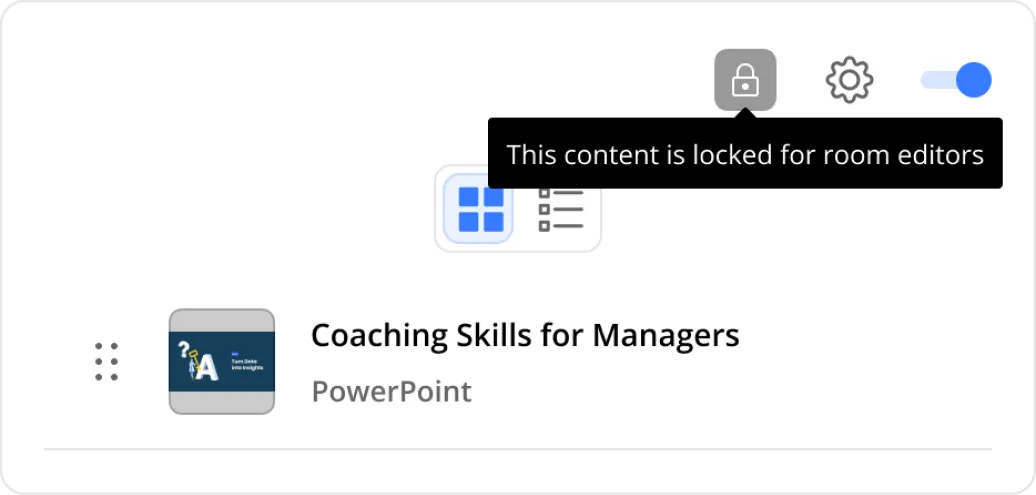
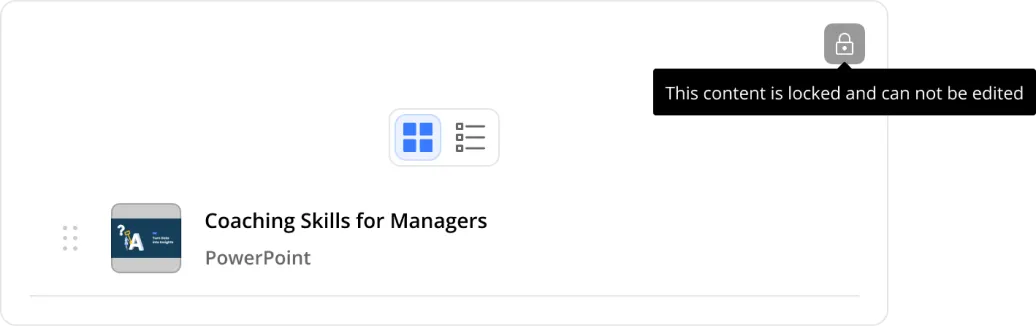
Whole sections or individual widgets can be locked, preventing modification when sales rooms are created.

A locked widget badged with a lock icon in a sales room
Locked widgets & sections are badged with a lock icon.
The template builder showing a widget locked for room editors
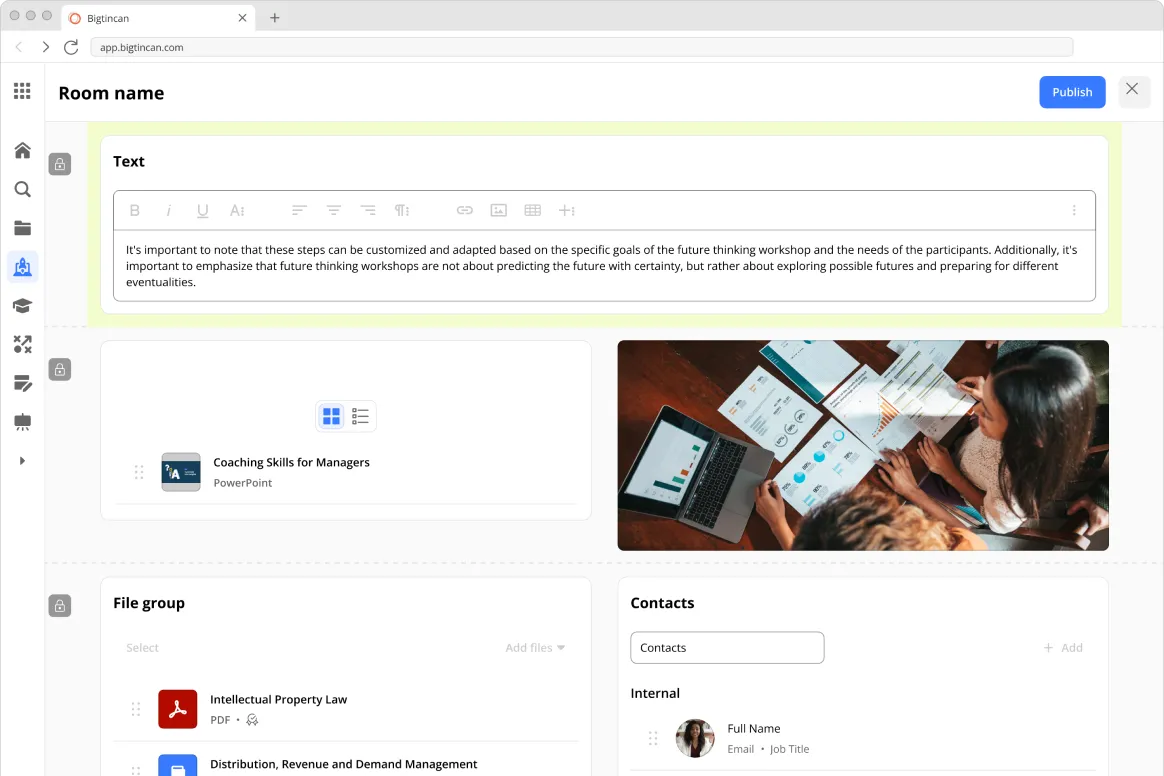
A locked section badged with a lock icon in a sales room
Locked widgets & sections are badged with a lock icon.
The template builder showing a whole section locked for room editors

Phase 4

Custom colours

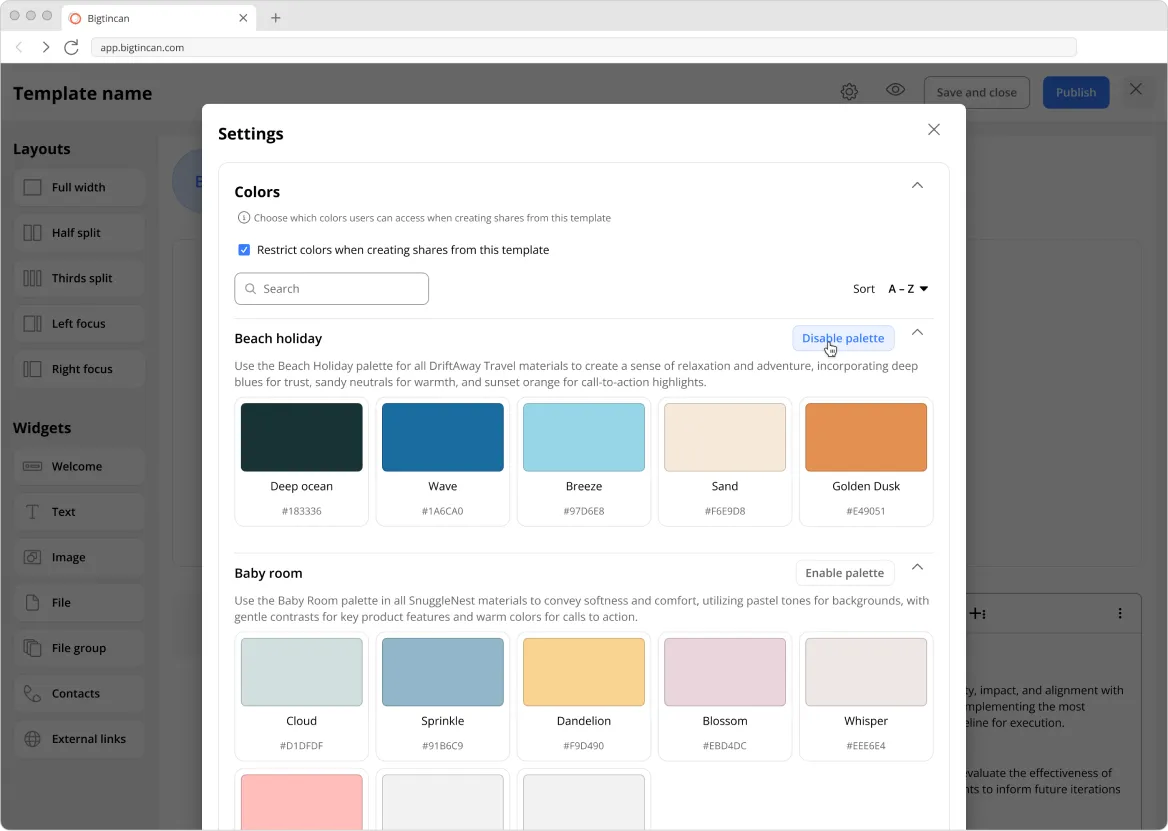
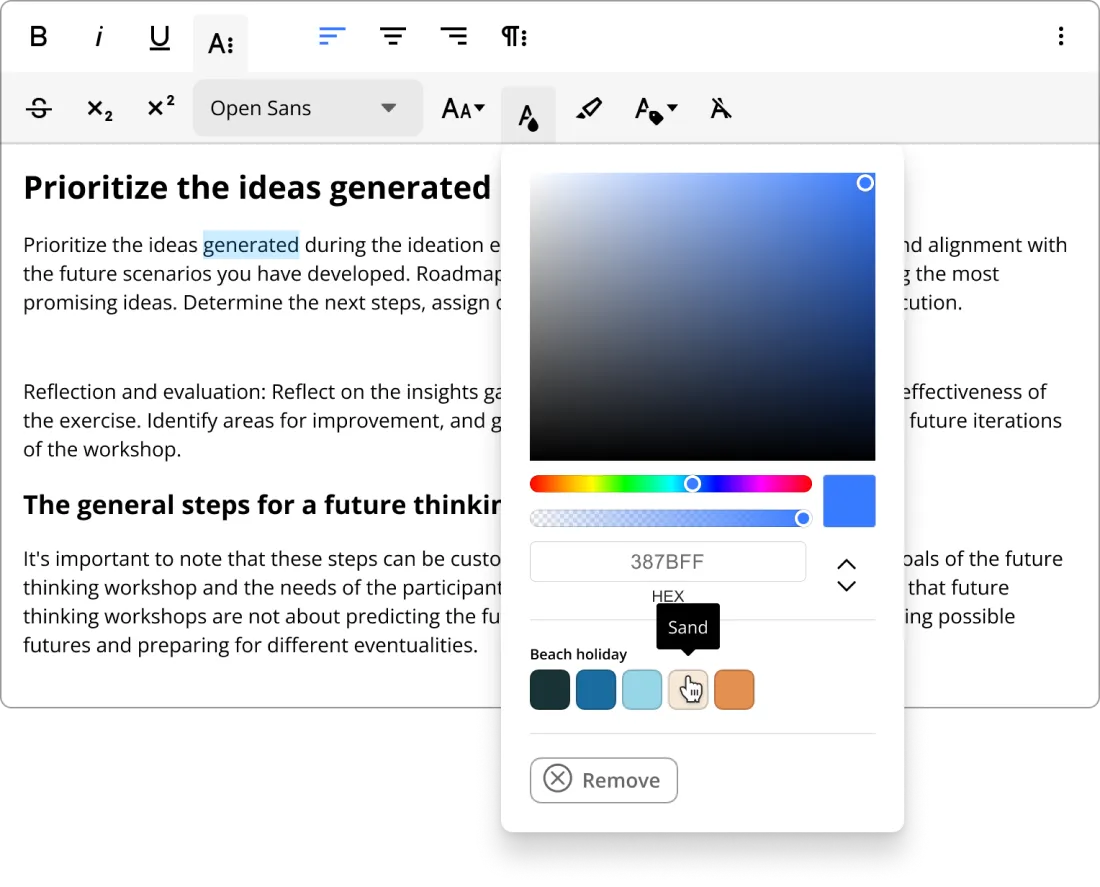
Content managers can create palettes of colours that can be used in templates.

The template settings panel showing colour palettes available to a template
Customising colours from an enabled colour palette
Only specified colours are available in templates.
The colour picker restricted to a template's enabled palette

Custom fonts

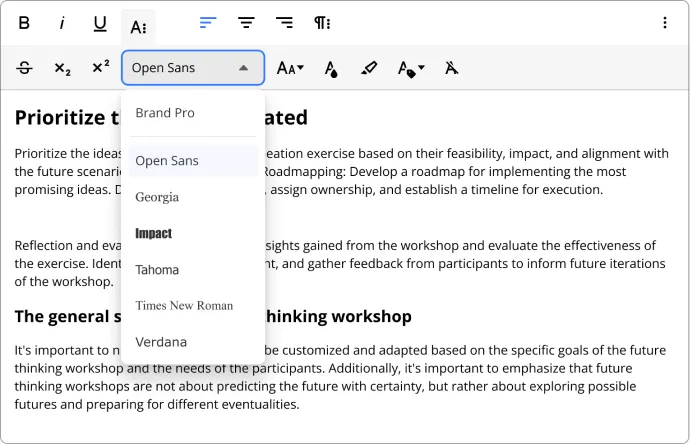
Content managers can create palettes of fonts that can be used in templates.

The template settings panel showing fonts available to a template
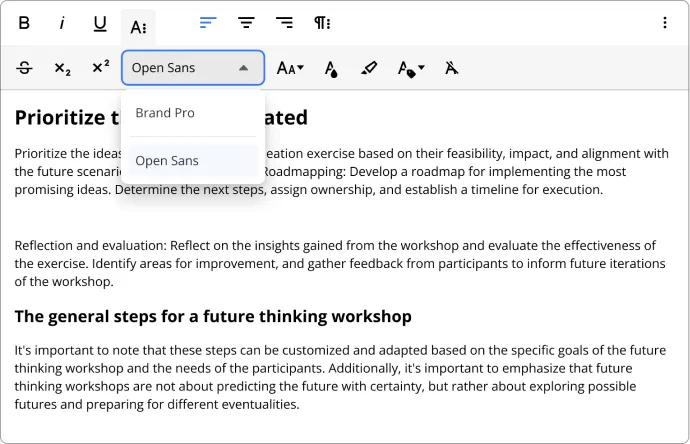
Only specified fonts are available in templates.
The font menu restricted to a template's enabled fonts
A restricted font applied to text in the template editor

Outcome

In 6 weeks we built an MVP template system

Using section-based layouts, we added three new widgets (Image, File, Welcome) to meet real customer layouts.

AUD $1M

Customer chose to stay, preventing ~$1M revenue loss

6 Weeks

Time to deliver MVP

Continual improvements to the builder followed the demo to lock in competitive advantage

You’ve seen how I saved AUD $1m in annual revenue, now learn how I reduced friction for our highest value customers

Next